Automatic Updates
Fatoora App includes an automatic update system that ensures you are always using the latest version.
Automatic update process
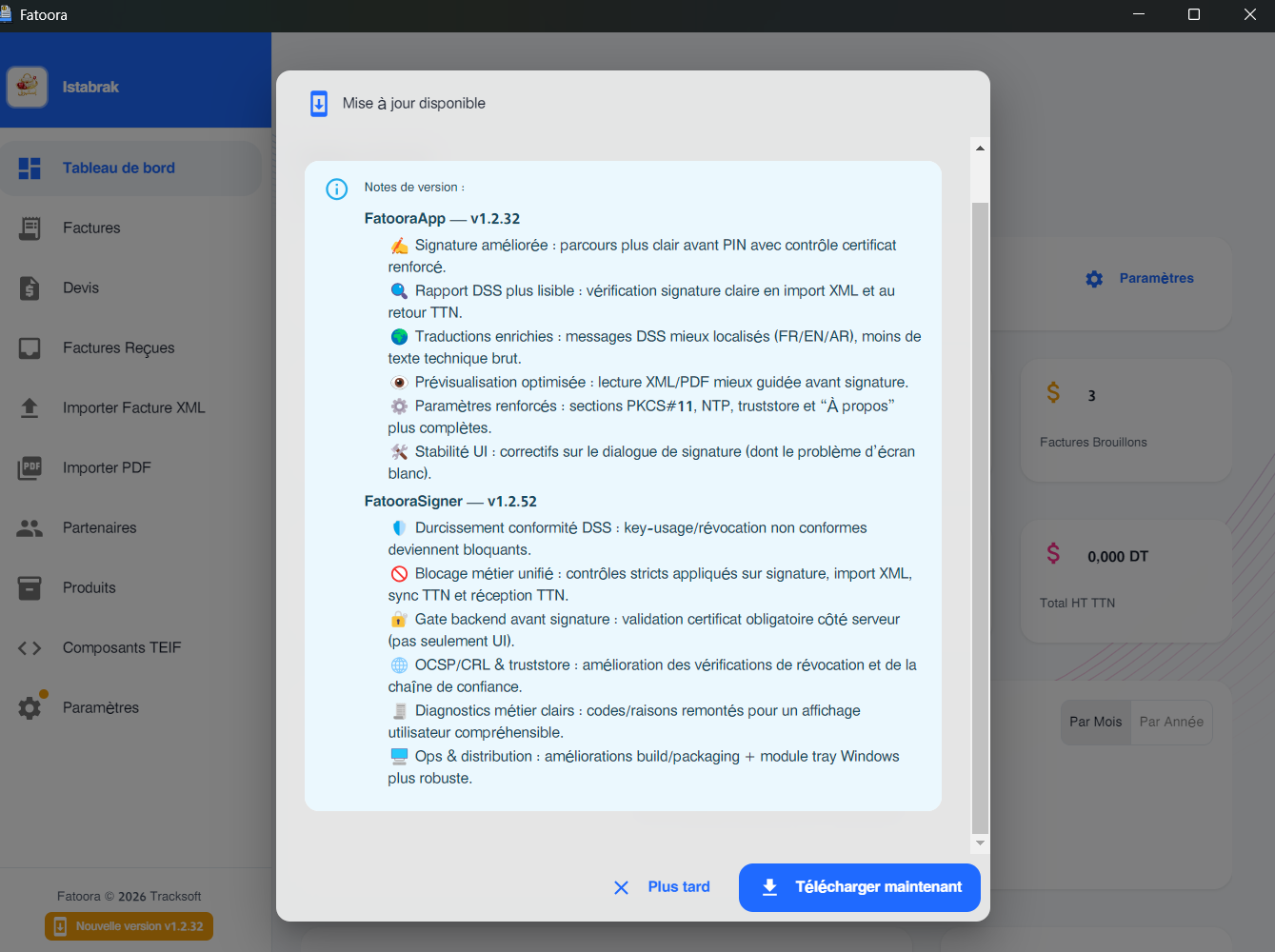
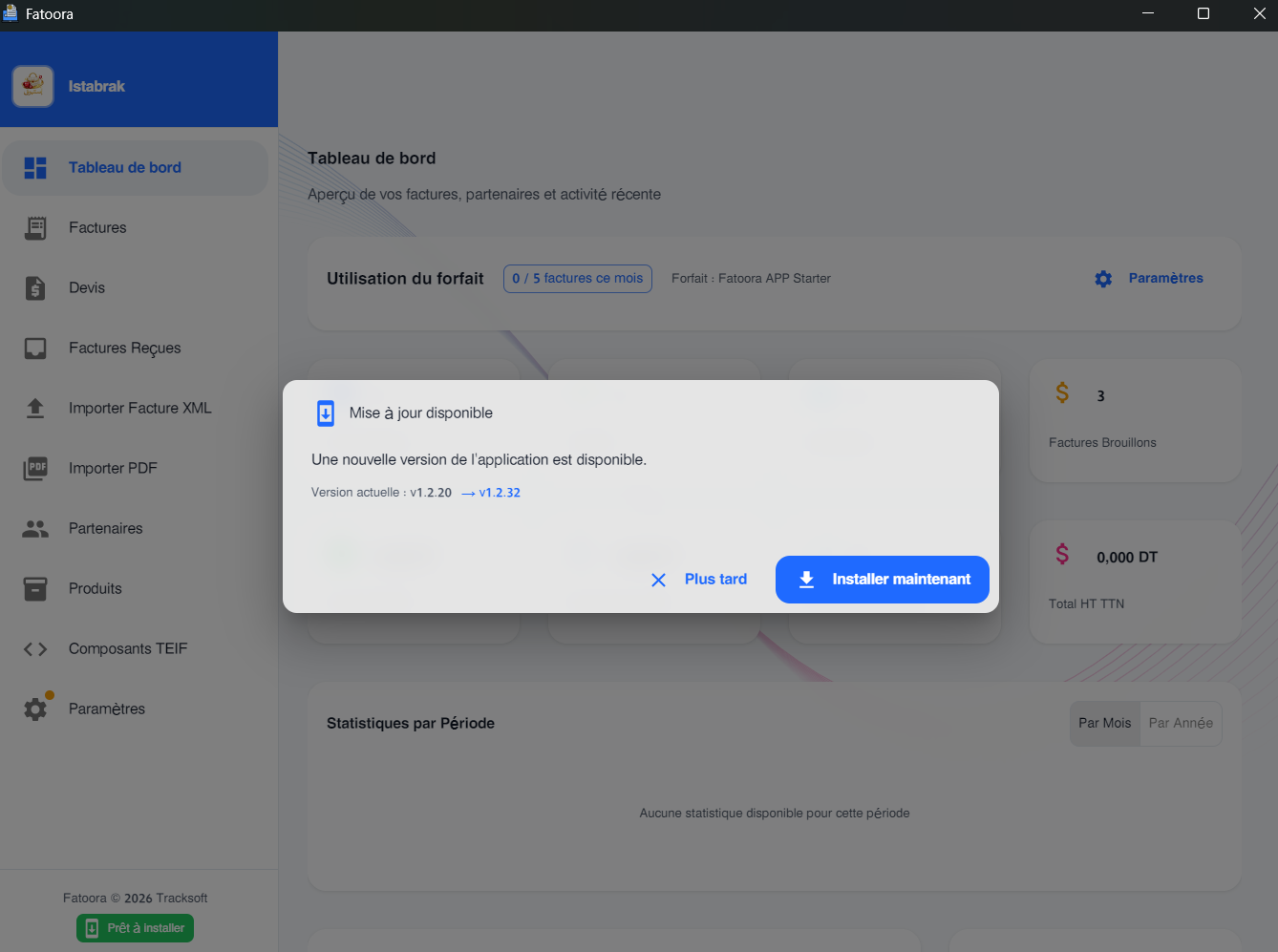
- On startup, the application checks for an available update from the server
- If an update is available, a notification is displayed
- Click "Install and restart" to apply the update
- The integrity of the update file is automatically verified (hash SHA-512)
Manual download
You can also manually download the latest version from the portal:
- Log in to www.fatoora.tn
- Go to Download
- Choose the desired version
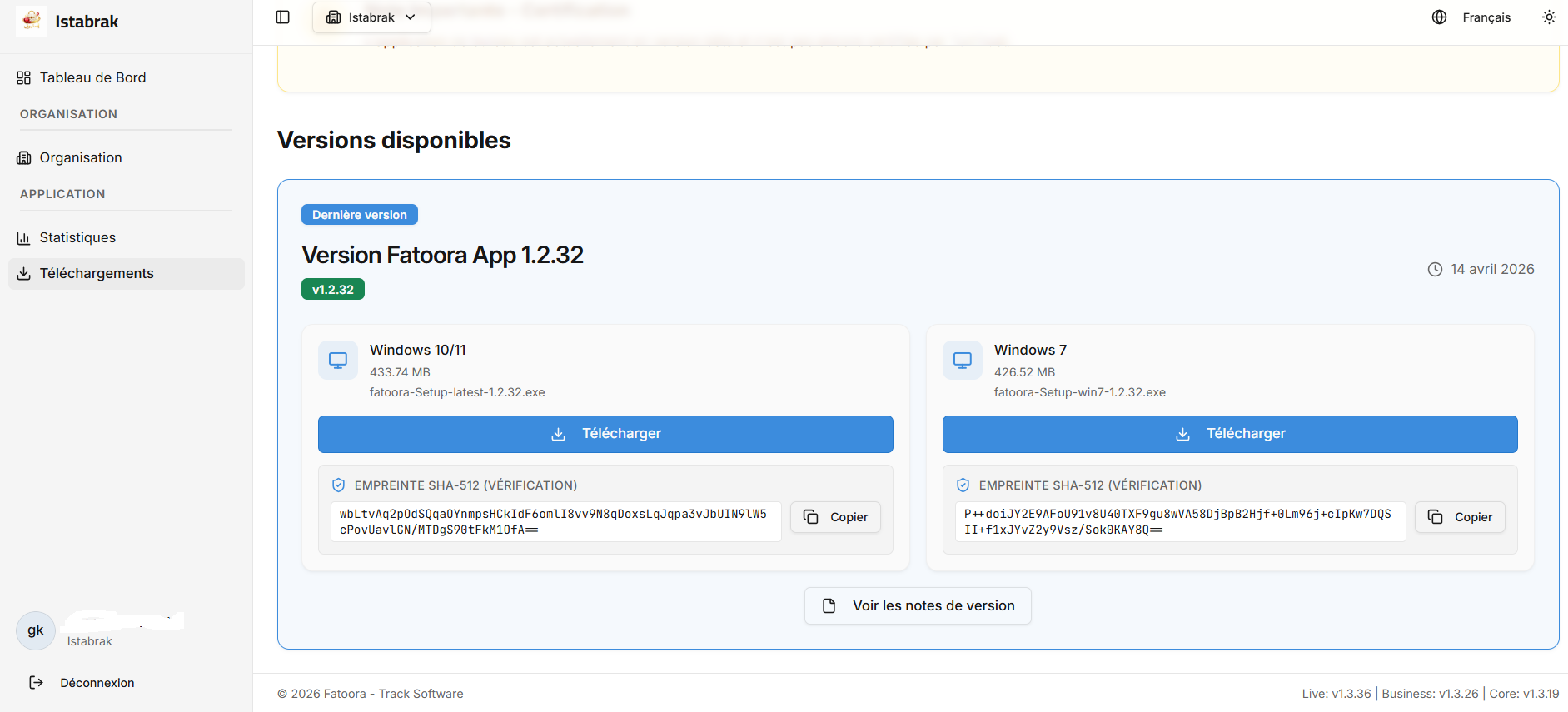
The page displays:
- All available versions with their release notes
- Installers for Windows 10/11 and Windows 7
- The size and date of each version
- Status badges (Beta, Stable, Annual)